 Local Export for Gmail
What your agent needs
Use desktop Chrome with Gmail signed in and Local Export for Gmail installed in the same profile. Refresh Gmail after installation.
Choose an agent that can control your existing Chrome window and the system save dialog. A chat-only assistant cannot operate the extension. A separate cloud browser does not automatically have access to your local Chrome profile or Gmail sign-in.
A prompt to adapt
Replace the search and folder below. Start with a small batch you can check.
In my signed-in Chrome, find Gmail conversations matching [search]. Use Local Export for Gmail to save up to 3 as PDFs with original attachments to [folder]. Check the account and selection first. Do not send, delete or relabel emails. Confirm success only after the ZIP is saved.
Export in four steps
Search Gmail by sender, date or attachment. Review the results before selecting anything.
Select the conversations with Gmail’s checkboxes. Check the account, then choose Export selected in the left sidebar.
Review the conversations in the export tab. Choose Export ZIP. Keep Gmail and the export tab open while preparation finishes.
Choose the filename and folder in Chrome’s save dialog. Wait for Export saved, then use Show in folder and extract the ZIP.
The export includes each selected conversation’s replies, including replies outside your search dates. A conversation is not the same as one email.
has:attachment after:2026/09/01 before:2026/10/01This Gmail search finds messages with attachments received in September 2026. Change the dates or add a sender to match your task.
Google’s Gmail search operatorsPDFs, attachments and checksums
Each conversation has a PDF and separate original files. export-report.json records attachment names, sizes, SHA-256 checksums and omissions. Checksums verify file bytes, not email authenticity.
conversation.pdfattachments/export-report.json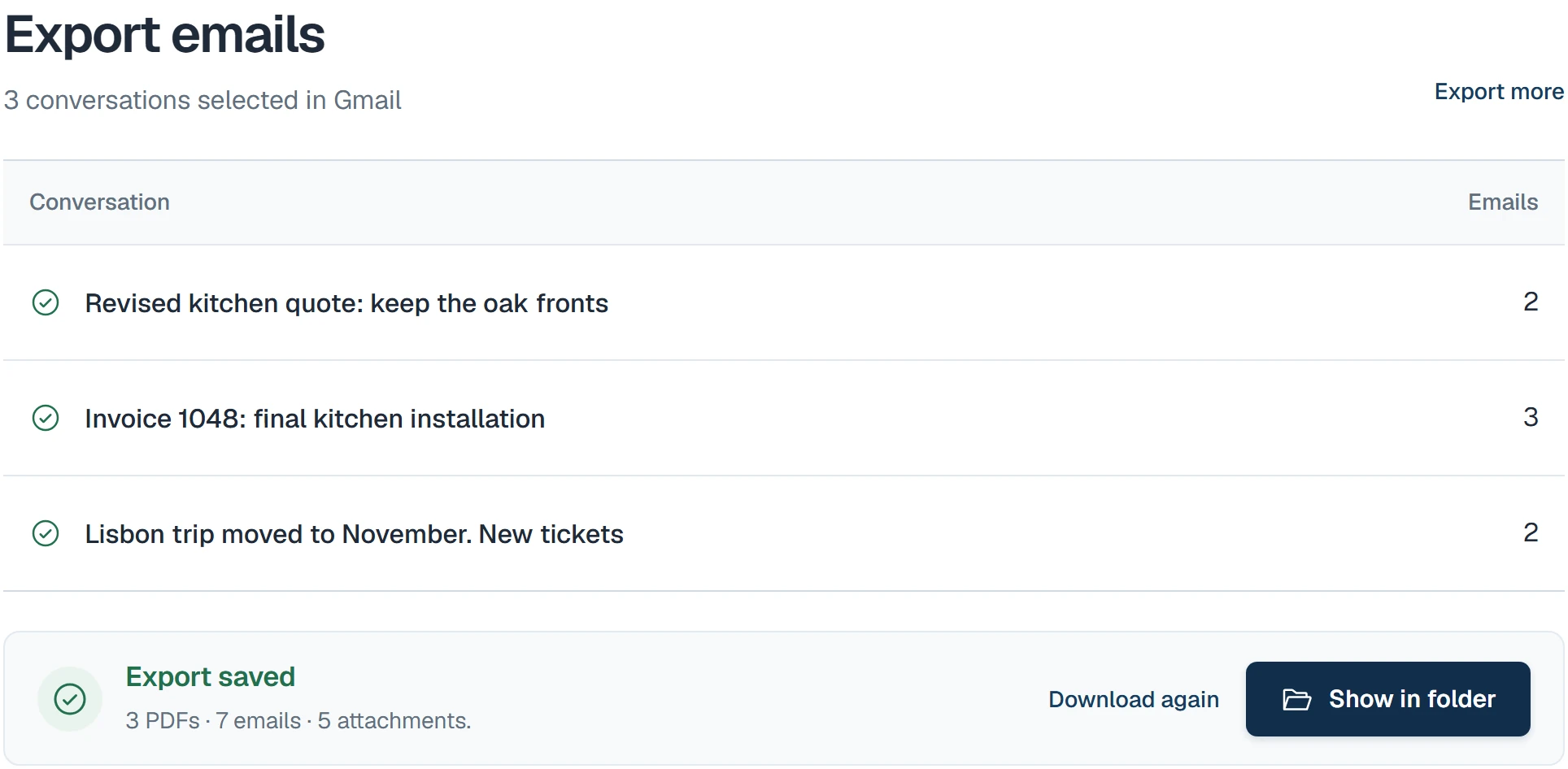
Privacy when using an agent
The extension processes mail on your device without uploading email content to Sami Studio. Your agent may send screenshots or visible text to its provider. Its own access rules and privacy settings still apply.
Free and Pro limits
Free: 3 conversations per batch. Pro: 50 for €29 once, on 2 active browsers. Both: 200 emails, 100 MiB for source content and fetched images combined, and a 200 MiB ZIP. Split larger jobs.
If the export stops
If you cancel saving, choose Export ZIP again to save the prepared ZIP. Retry failed conversations and check the report for missing items before accepting a partial export.
Button names follow the extension’s selected language. Linked supporting guides and sample interfaces are in English.
Read the Gmail PDF and attachments guide (English)