 Local Export for Gmail
A Chrome extension by Sami Studio
Export Gmail emails
to PDF.
Save emails and their replies as PDFs, with original attachments in one ZIP. Prepared on your device.
Free to start · Desktop Chrome
See how the export works.
31 seconds · Sound optional
Emails and replies
Each email thread becomes one PDF, with its replies in date order.
Original attachments
Attachments kept as files alongside the PDF, including inline images.
Prepared on your device
Your emails are not uploaded to Sami Studio. No separate extension account.
The files you keep
See a sample export.
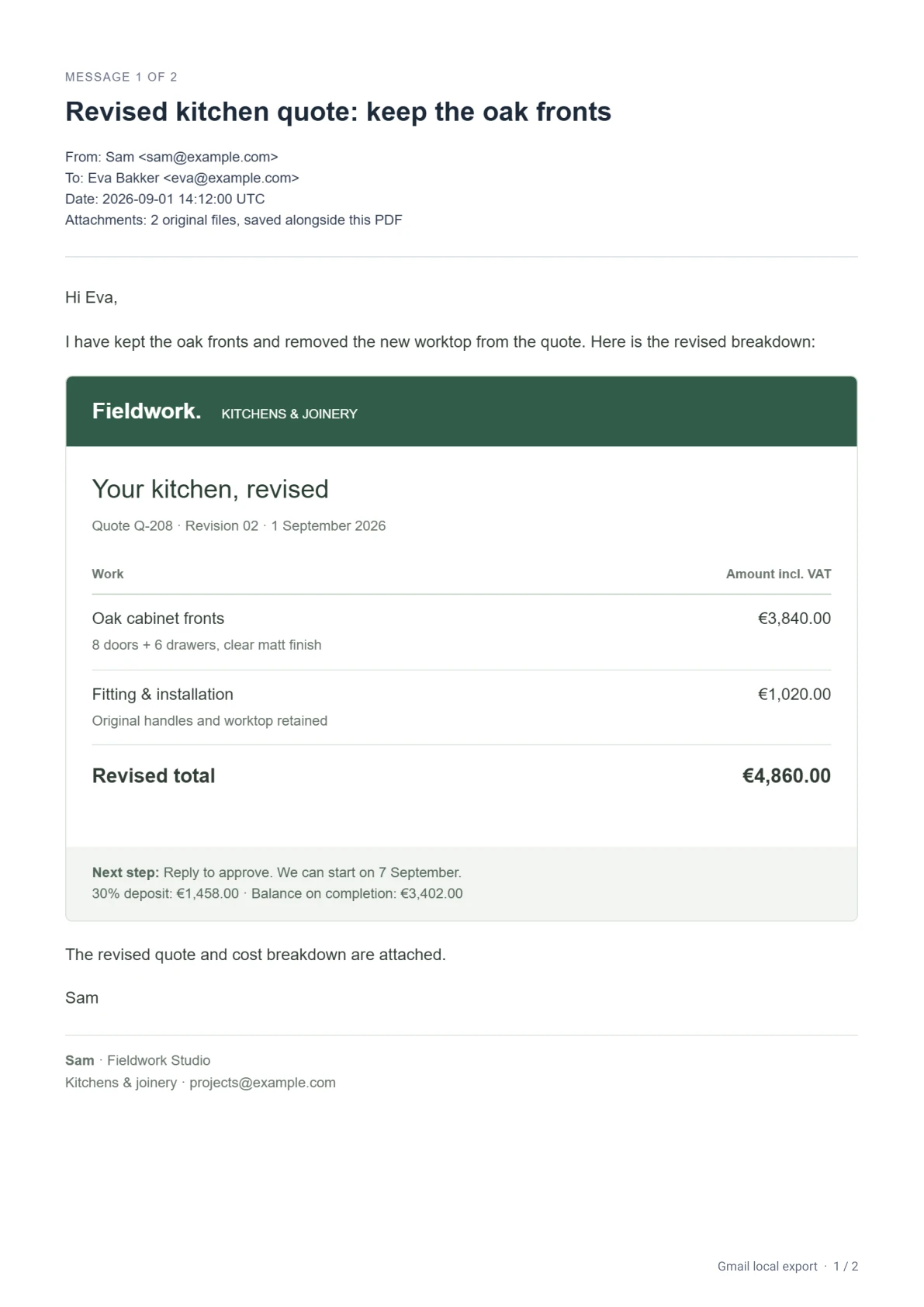
A kitchen quote, an invoice and a travel booking. See how conversations, replies and original attachments stay together.
Actual export from synthetic example emails. The ZIP contains 3 conversation PDFs, 7 emails and 5 original attachments.
Read the video steps
- In desktop Gmail, select emails using their checkboxes. Click Export selected.
- Review your selection in Local Export for Gmail. Click Export ZIP.
- Keep Gmail and the export tab open while the emails are prepared and the ZIP saves.
- When Export saved appears, click Show in folder. Extract the ZIP to open each PDF and its original attachment files.
Up to 3 email threads per batch are free. Pro is €29 once for up to 50 per batch, on 2 active browsers. Export time varies.
Export guides.
With sample outputLocal Export for Gmail is a Chrome extension for saving selected conversations as PDFs with their original attachments. These guides show the saved files, explain the limits, and help you choose between a batch export and Gmail’s built-in Print option.
Pro
€29 once
Up to 50 email threads per export.
2 active browsers. No subscription.
Desktop Chrome and a signed-in Gmail tab are required. Both plans support up to 200 emails and 100 MiB of source content plus loaded images per export. External images load through Google when available and can be turned off. Missing images are marked in the PDF. See limits and support.